Research
Text recognition models
.png?width=1280&height=720&name=Types%20of%20historical%20Sources%20(3).png)

Historical newspapers are valuable resources for anyone looking to understand the past. They offer a day-by-day account of life, capturing everything from major political shifts to local advertisements and community news. For libraries, universities, and archives, these collections are some of the most requested items, yet they are also some of the most difficult to research. By digitising these archives and transcribing the text, you can move away from manual page-turning and allow researchers to search for specific names, dates, or keywords across thousands of pages in seconds.
While the uniform typefaces used in newspapers is ideal for AI transcription, the complex, multi-column layouts typical of old newsprint can make digitisation a challenge. In this post, we break down how to use Transkribus to turn those stacks of paper into useful digital data, from the initial scan to the technical settings needed to get the layout recognition right.
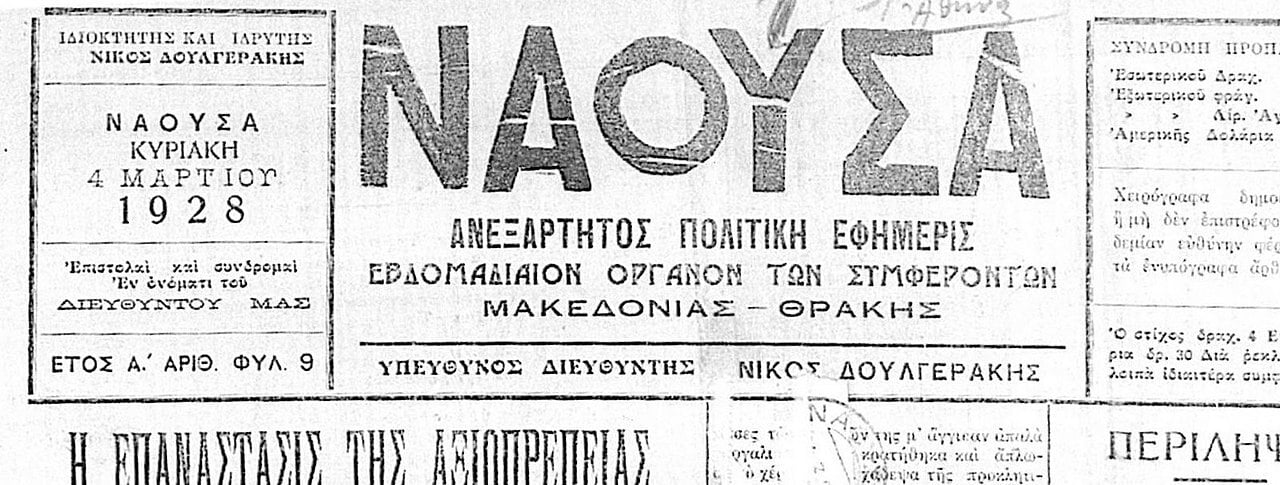
The complex layout of newspapers can make them difficult to transcribe with AI. © Bjankuloski06 via Wikimedia Commons
Most documents, like books or letters, are read from top to bottom in a single block. But newspapers have a much more chaotic structure. They use complex grids where stories start in one column and skip over to another, or are interrupted by images, horizontal dividers, and large-print advertisements. If you run a standard "out of the box" transcription, the AI might try to read straight across the page, merging three different articles into a single, nonsensical sentence.
To get a clean transcript, you have to help the AI understand the geometry of the page first. This involves a specific three-part sequence: first, detecting the large "regions" (the boxes that hold articles); second, finding the "baselines" (the invisible lines the text sits on); and finally, running the actual text recognition. Without this structured approach, the reading order will be broken, making the data useless for serious research.
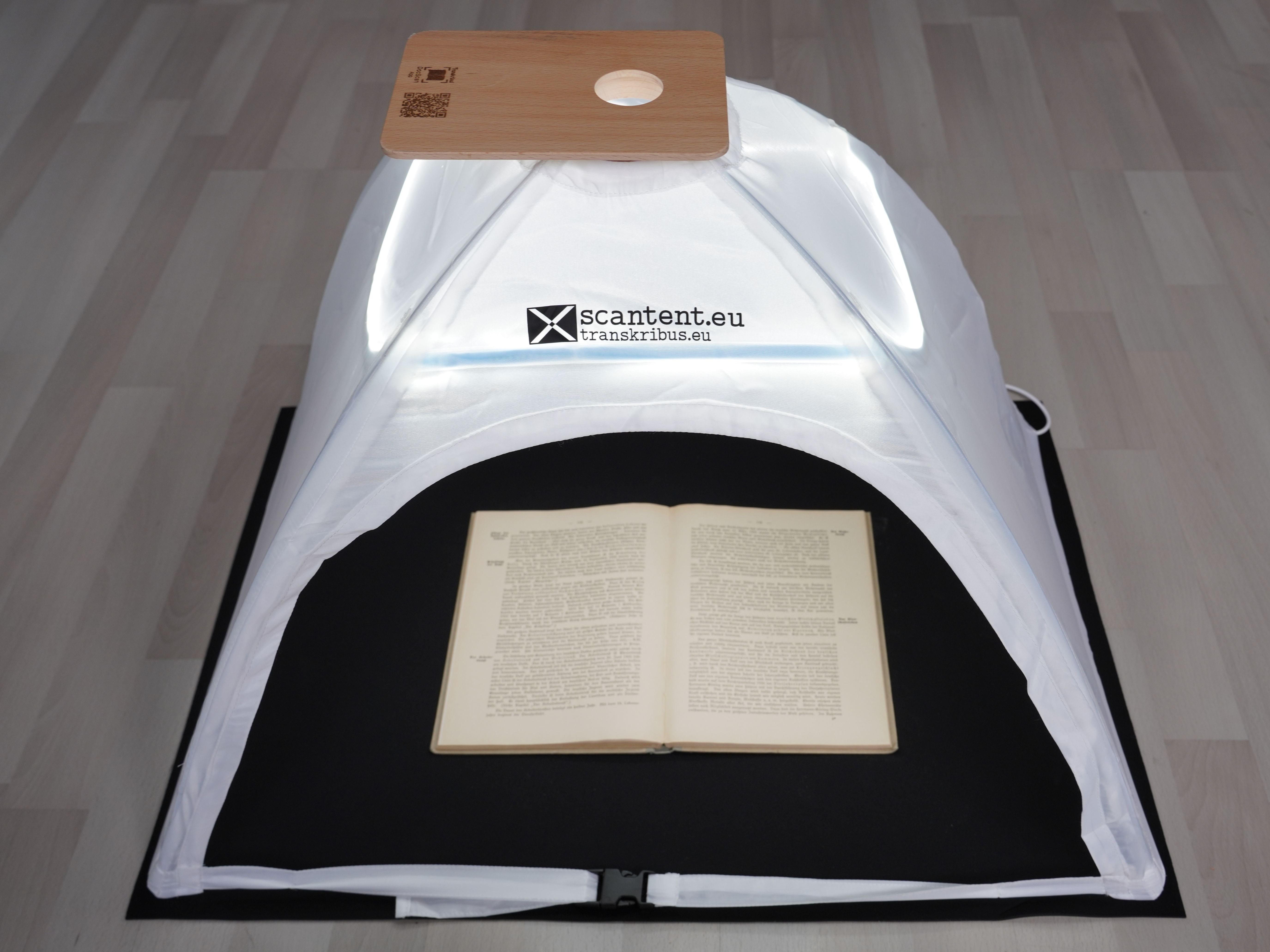
The first step in any digitisation project is to create high-quality scans of the source material. © Transkribus
The foundation of a good digital archive is the quality of the raw image. Newspaper pages are often large, thin, and yellowed, which can make them tricky to photograph without shadows or "bleed-through" from the other side.
To prepare Training Data for a Field Model, you need to mark the different layout elements in your documents. © Transkribus
A Field Model is a sophisticated type of model in Transkribus that focuses on semantic layout analysis. Instead of just seeing "a box of text," it can be trained to understand "this is a headline" or "this is a footer", making it the most effective way to handle the vertical lines and columns found in newspapers.
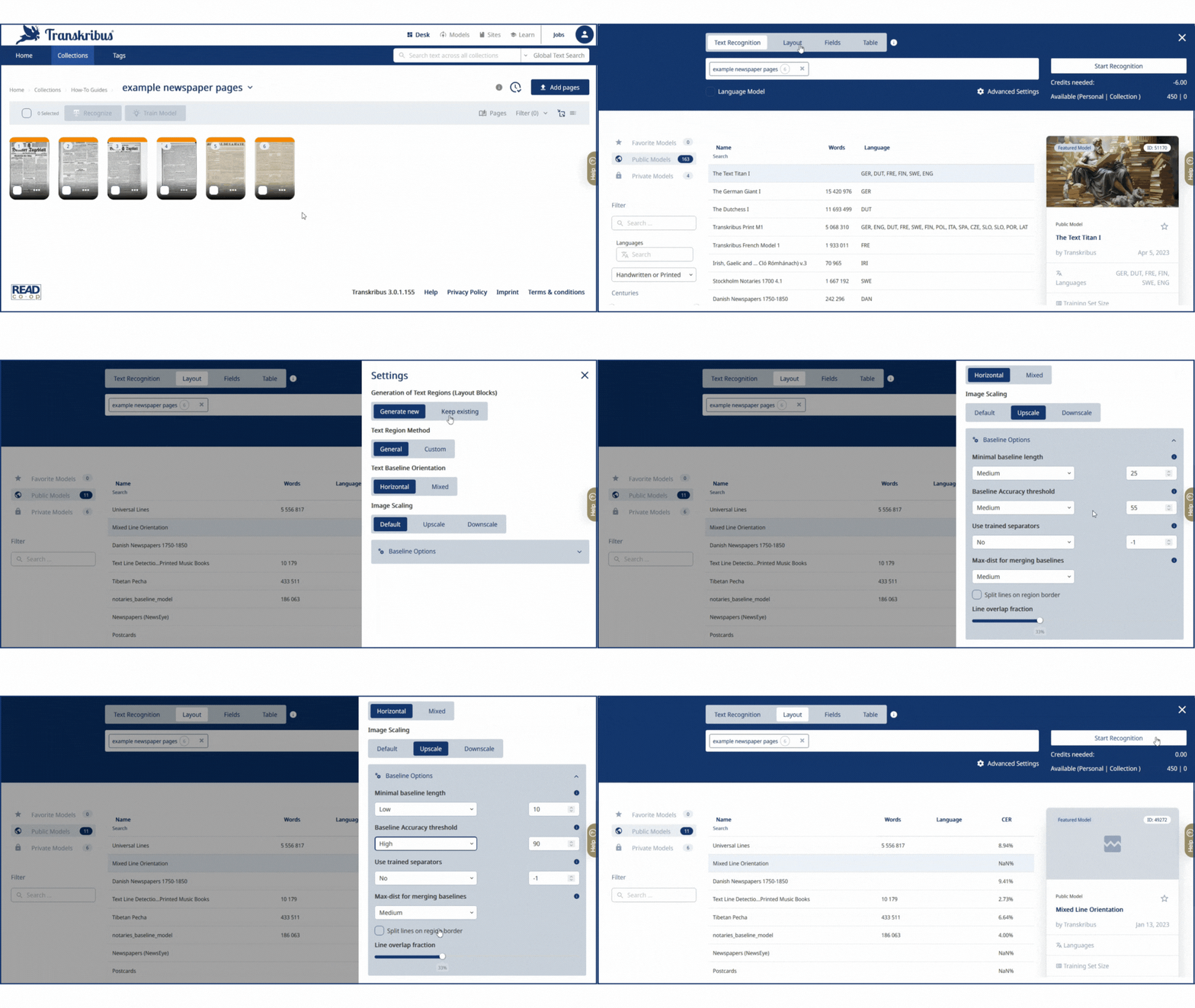 Configuring the correct settings is key to successful layout analysis with newspapers. © Transkribus
Once your Field Model has identified the regions, you need to find the baselines—the horizontal lines of text on the page. This is a critical step because the text recognition AI follows these lines like a train on a track. When using Field Models with newspapers, you should use the Advanced Settings in the Layout Recognition menu to fine-tune the baseline detection.
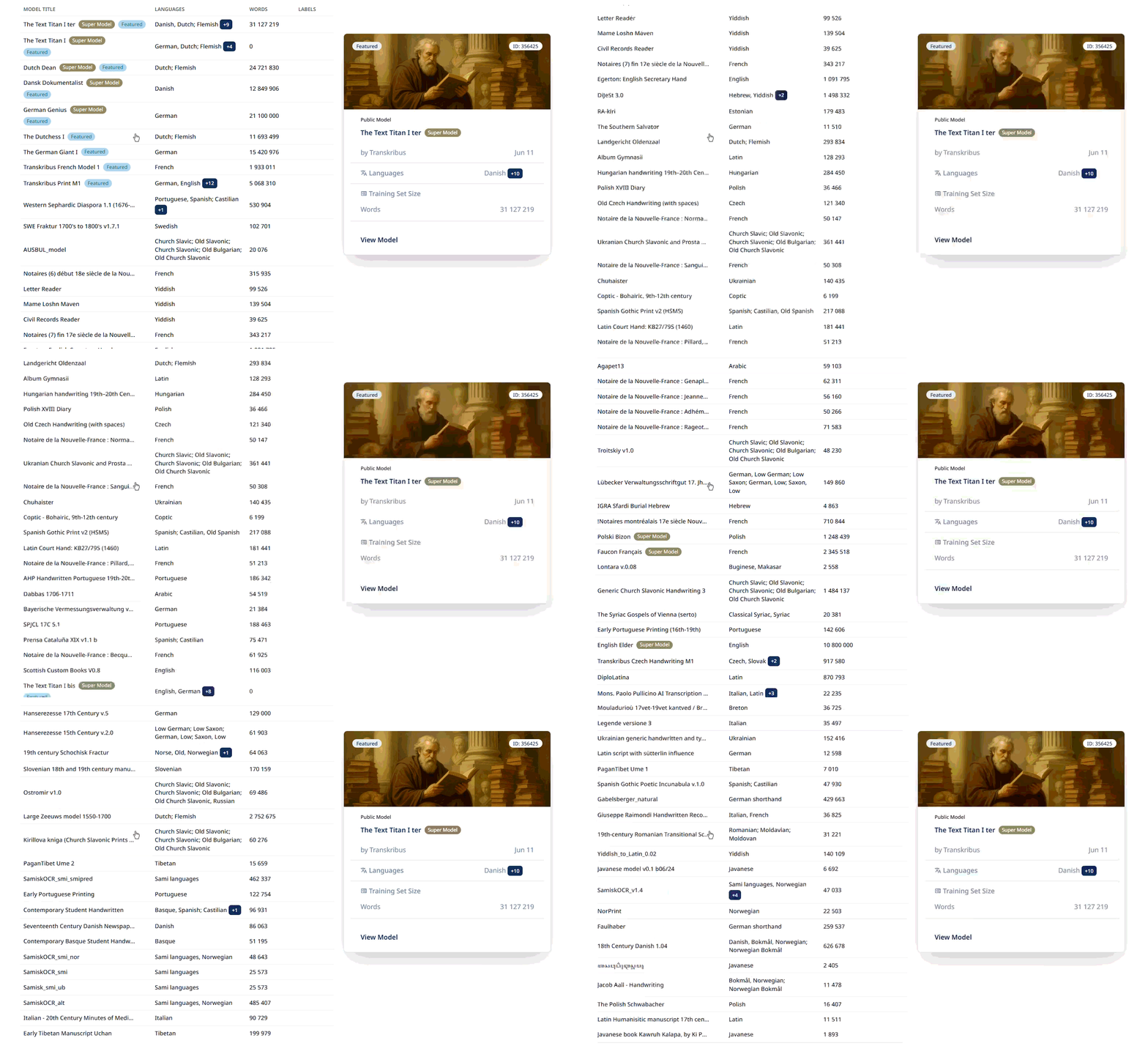
There are hundreds of models to choose from when transcribing the text in your newspapers. © Transkribus
With the layout fixed and the lines drawn, you are ready to turn those images into text. To do so, you will need to choose a Transkribus model for the text recognition, which can either be a pre-trained public model, or one that you have trained yourself.
Newspapers are one of the trickier resources to digitise but well worth the effort. Once processed, your archive transforms from a collection of images into a data-rich resource where centuries of history can be searched in an instant.
Want to learn more about digitising historical documents with Transkribus?
Check out this article on our Help Center about transcribing newspapers with Transkribus