Research
Text recognition models
.png?width=1280&height=720&name=Training%20a%20custom%20model%20v2%20(1).png)

Latin, the language that connected Europe for 2,000 years, is still key to studying history, law, and science. Even though the language itself is well-known, the numerous scripts used to write it throughout history creates a problem for researchers and archivists. From the neat lines of Carolingian Minuscule to the tricky, fast cursive hands that came later, the diversity of Latin manuscripts makes them challenging to transcribe and therefore, a large amount of manuscripts held by universities, archives, and libraries remain digitally inaccessible.
However, more and more of these institutions are turning to automatic text recognition powered by artificial intelligence. Platforms such as Transkribus allow researchers and archivists to train, share, and improve specialised AI models that can automatically transcribe Latin documents very accurately. This shift has changed how scholars work, moving away from slow, line-by-line manual transcription to fast, machine-assisted discovery on a large scale, revolutionising access to historical documents.
If you are interested in creating accurate, digital versions of Latin documents, here are five AI models that can be used with Transkribus to unlock these valuable historical sources.
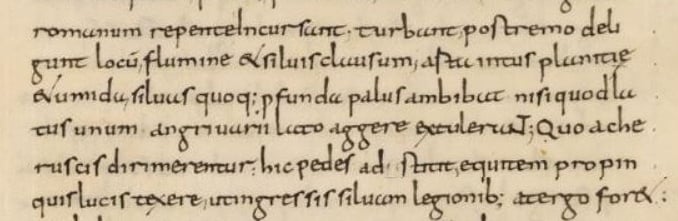 Carolingian minuscule was the main script used in Europe between the 8th and 12th centuries. © Bernd Preiss via Wikimedia Common
One of the most common Latin scripts is Carolingian Minuscule, which was developed under Charlemagne to standardise writing across his empire. Although it formed the basis of modern typefaces, the manuscripts themselves—containing key early medieval intellectual work—are still hard to process manually in bulk.
The Carolingian Minuscule Model CMM 9th-11th centuries model was trained on 46 different manuscripts from the Carolingian era, including religious texts, legal papers, and historical accounts. This comprehensive training helps the model to generalise and provide accurate transcriptions of a wide variety of documents. For archives with large early medieval collections, the Carolinigian Miniscule model allows documents from the era to be fully transcribed, searched and edited, helping researchers analyse their contents on a mass scale.
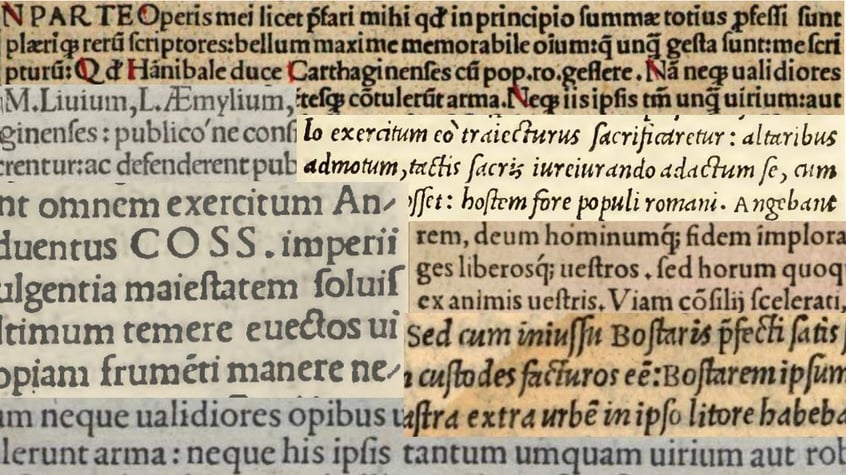 The DiploLatina model was trained on a range of early printed Latin texts, some of which are pictured above. © Lara Piva
Transkribus can not only be used for handwritten Latin manuscripts, but also printed Latin texts. For the DiploLatina model, researchers took a corpus of Latin prints from the 16th century and created a model capable of creating full diplomatic translations, including abbreviation tags.
DiploLatina's quality is proven by the amount of data it was trained on: over 76,000 lines and nearly 871,000 words of Ground Truth data. This massive training set gives the model an incredibly low character error rate, making it one of the most accurate public models for printed Latin. It also created an extensive system of dealing with abbreviations and linguistic elements, allowing it to produce standardised diplomatic translations in a way that was previously not possible.
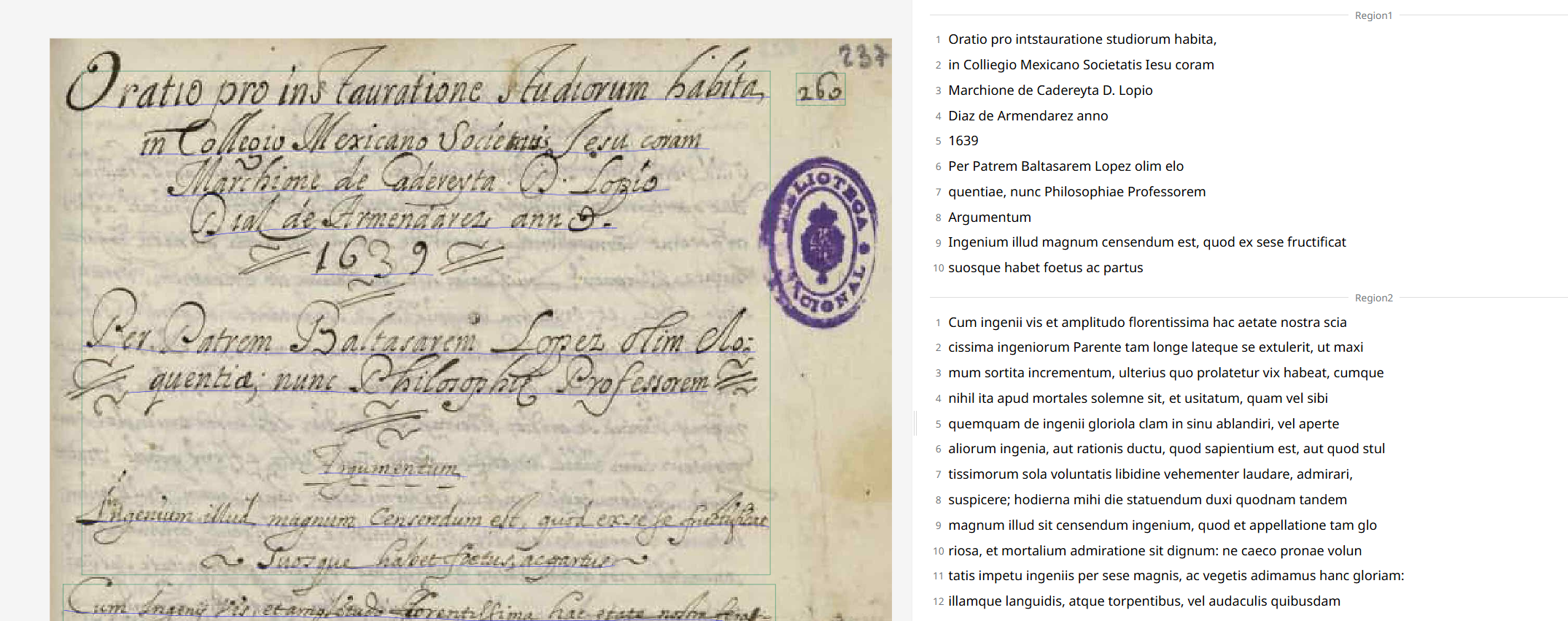 This model was trained on documents from New Spain over a 200-year period. © Transkribus
Manuscritos de la Nueva España en latín (Latin Manuscripts of New Spain), demonstrates why we need models for specific regions. Latin documents from the colonial period in New Spain, often have unique challenges due to local scribal practices and the specific vocabulary of colonial administration, which this model aimed to address.
Trained on thousands of lines and nearly fifty thousand words of Latin documents from the 16th to 18th centuries, the model is adept at handling the cursive hands common during that time. This focus means that it can expand some abbreviations specific to trans-Atlantic communication and paperwork, making it ideal for documents from this region and era.
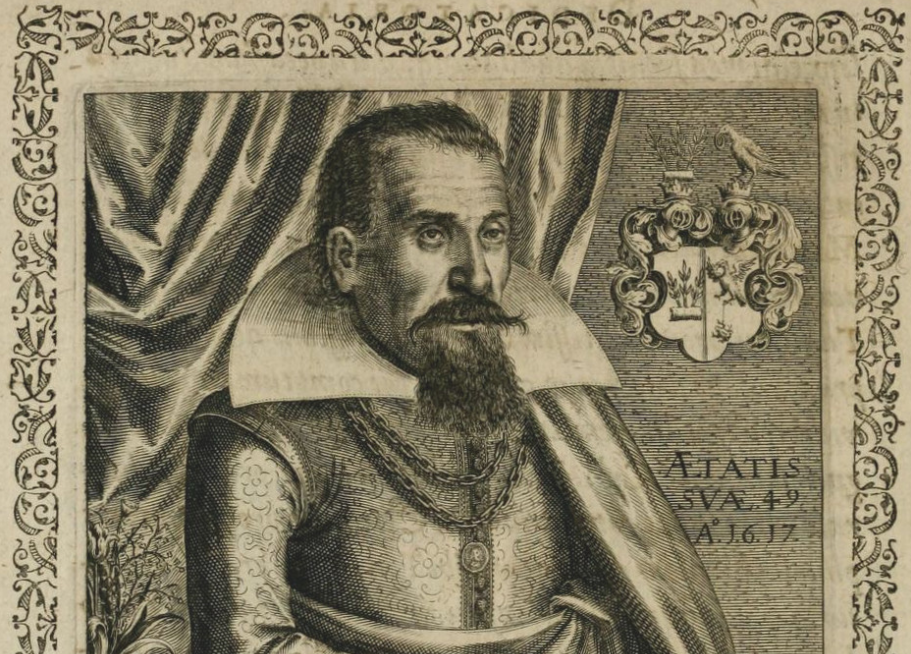 Many of the works by alchemist and physician Michael Maier were written in the humanistic script. © Matthäus Merian via Wikimedia Commons
From the 15th century onwards, the humanistic script was increasingly used for scholarly works in Latin and it went on to form the basis of modern print typographies. This Latin Humanistic model was trained on a 17th-century Latin manuscript: "Theosophia Aegyptiorum" by the alchemist and physician Michael Maier, and unlike several other models in this list, it was trained to present abbreviations exactly as they appear in the text. That means the transcription is not orientated towards simplified readability.
Although tailored towards one particular hand, this model would be ideal for using as a base model when working with other 17th-century documents in the humanistic script.
.jpg?width=1000&height=669&name=h5BRO4hTr9OgxFfkTSpTC%20(1).jpg) The Text Titan is a large, generic Super Model that is ideal for using with large or mixed collections. © Transkribus
The Text Titan is a large, generic Super Model that is ideal for using with large or mixed collections. © Transkribus
Finally, for institutions with very mixed collections—perhaps fragments of Latin alongside several other languages, or a blend of print and handwriting—the most flexible choice is the Text Titan I ter. This Super Model uses advanced transformer technology, allowing it to cope with a huge variety of scripts, languages, and document types.
The Text Titan has been trained on an extremely large, multi-language, and multi-script dataset, including documents in German, English, and most other major European languages, in addition to Latin. The major benefit for archives is that it can process an entire document in one go, even if it contains a seventeenth-century printed text with handwritten Latin notes, or a ledger with entries in German Kurrent and administrative Latin. While highly specialised models might be slightly more accurate for their specific target, the Super Model offers excellent results on diverse materials right away, enabling faster workflows and Ground Truth creation.
Transkribus was built for historians, archivists, and scholars, not computer scientists, and so it is easy to get started with transcribing your documents.
Upload your documents: First, upload your scanned images (as PDFs or JPGs) to your personal or institutional collection in Transkribus.
Select your pages: Once uploaded, you can select the document, or a specific range of pages, that you want to transcribe.
Find the right model: Go to the "Process with AI" tab to start the text recognition. In the public models section, you can search for the model that best fits your material. You can search by name (e.g., "Pinkas Brody Model") or by the model ID number if you know it.
Start the recognition: After picking your model, click "Start Recognition". Transkribus will then process the pages, using the AI model to read the script and create a transcription.
Review and correct: No AI is perfect, but a good model gets you most of the way there. The transcription will appear in the text editor right next to the document image, letting you easily check, correct, and edit the text.
For more information about using public AI models with Transkribus, visit our Help Center or YouTube channel.